How to Export a Page in Android OneNote as a PDF File and Send It via Email?
Many people want to export note pages from OneNote as PDF files for easy sharing, printing, or archiving.
This tutorial will show you how to export a page on an Android phone and send it to an email.
Specific steps are as follows:
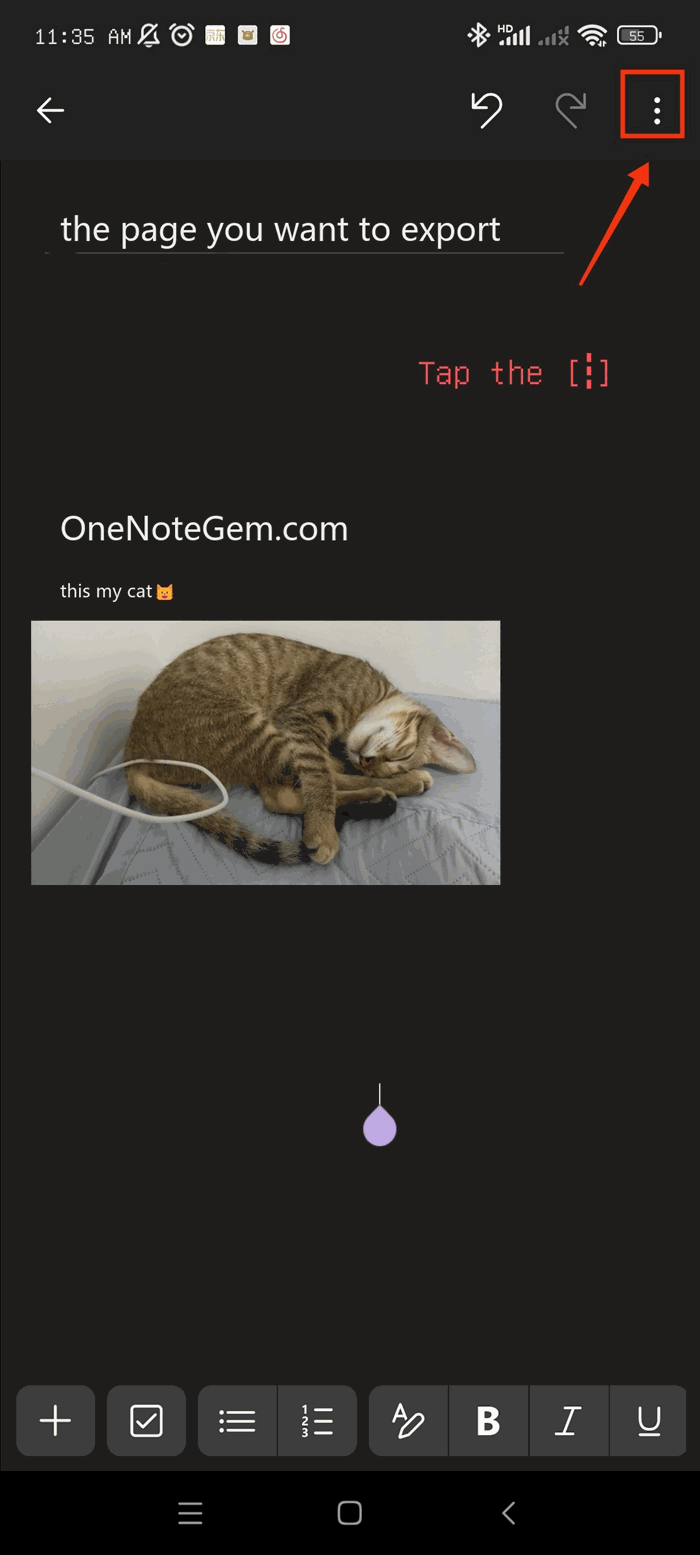
1. Open OneNote for Android and go to the page you want to export. Tap the [┇]menu icon in the top right corner.
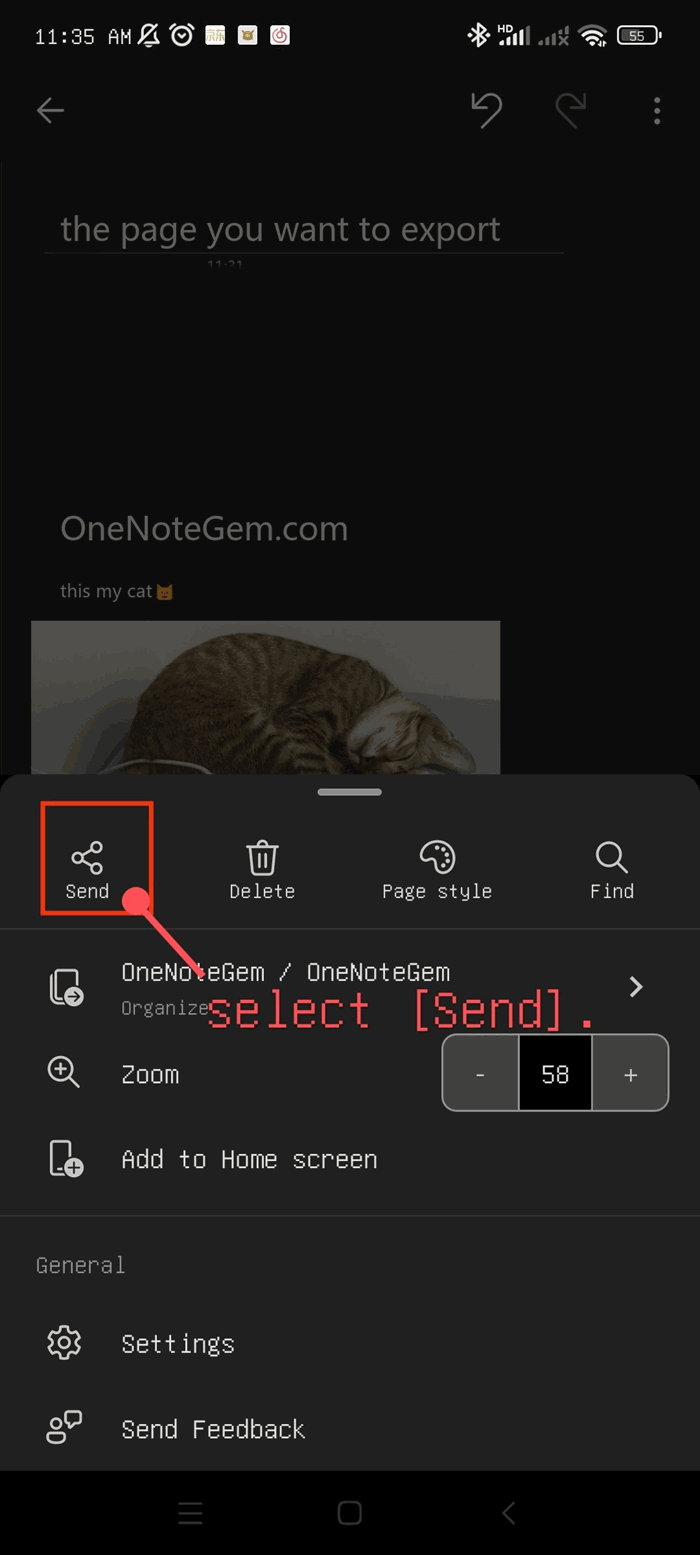
2. In the pop-up menu, select [Send].
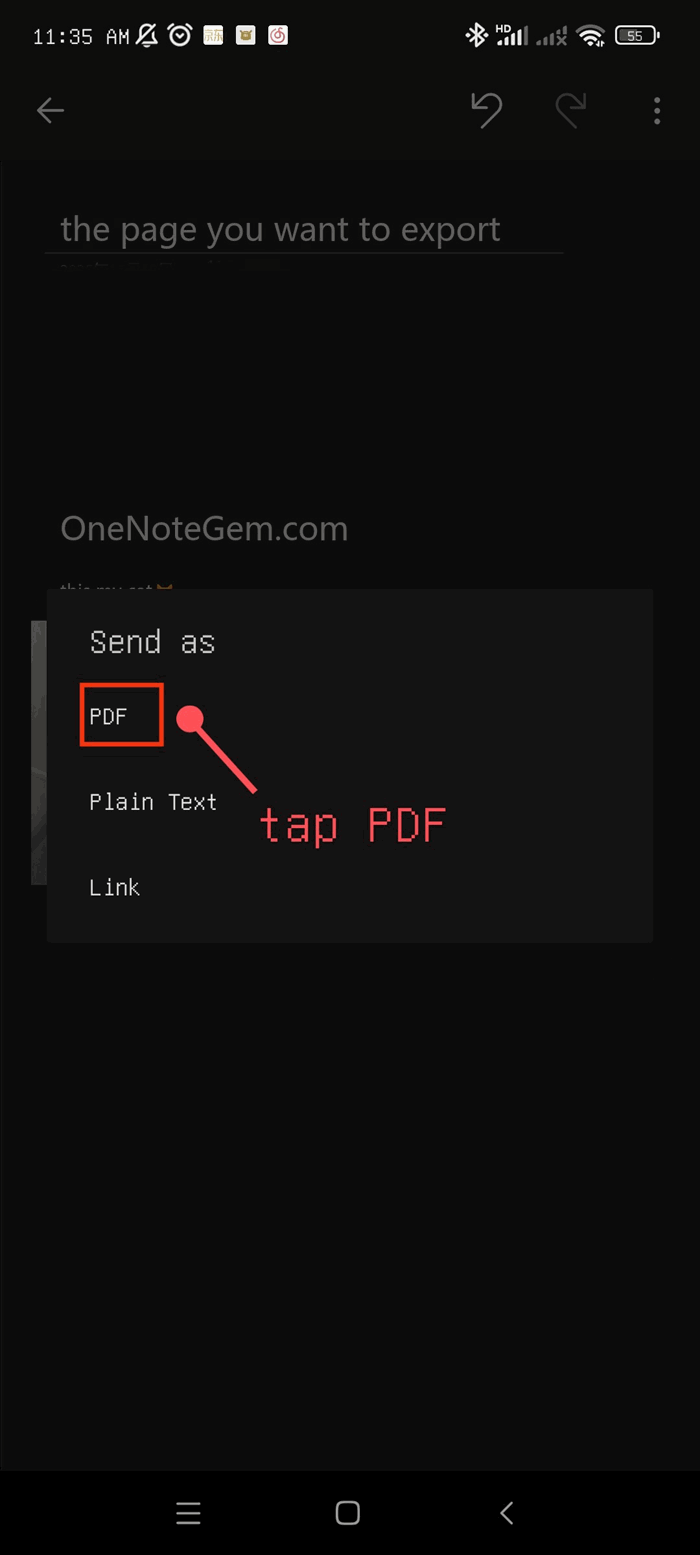
3. In the [Send as] options, tap [PDF].
4. At this point, the page has become a PDF. Then tap [Email].
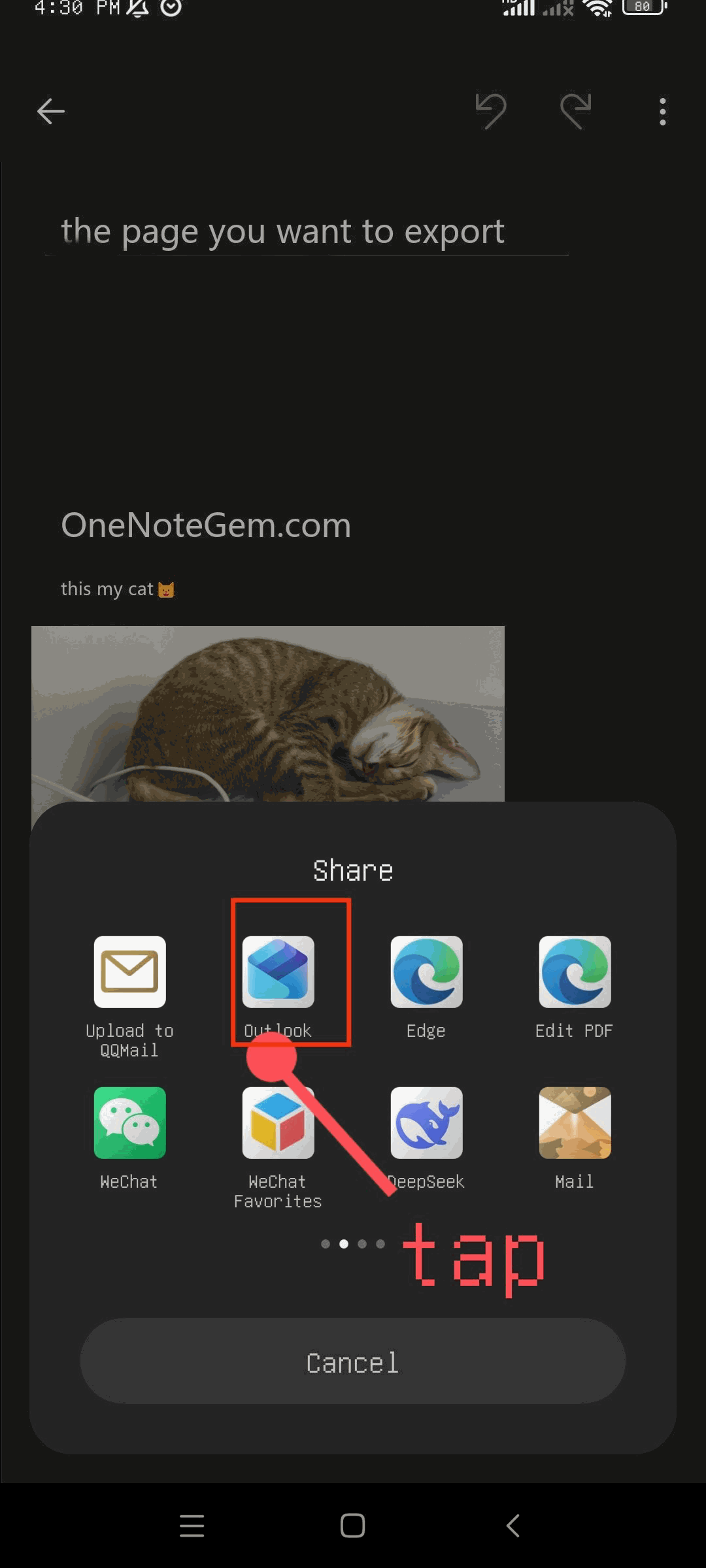
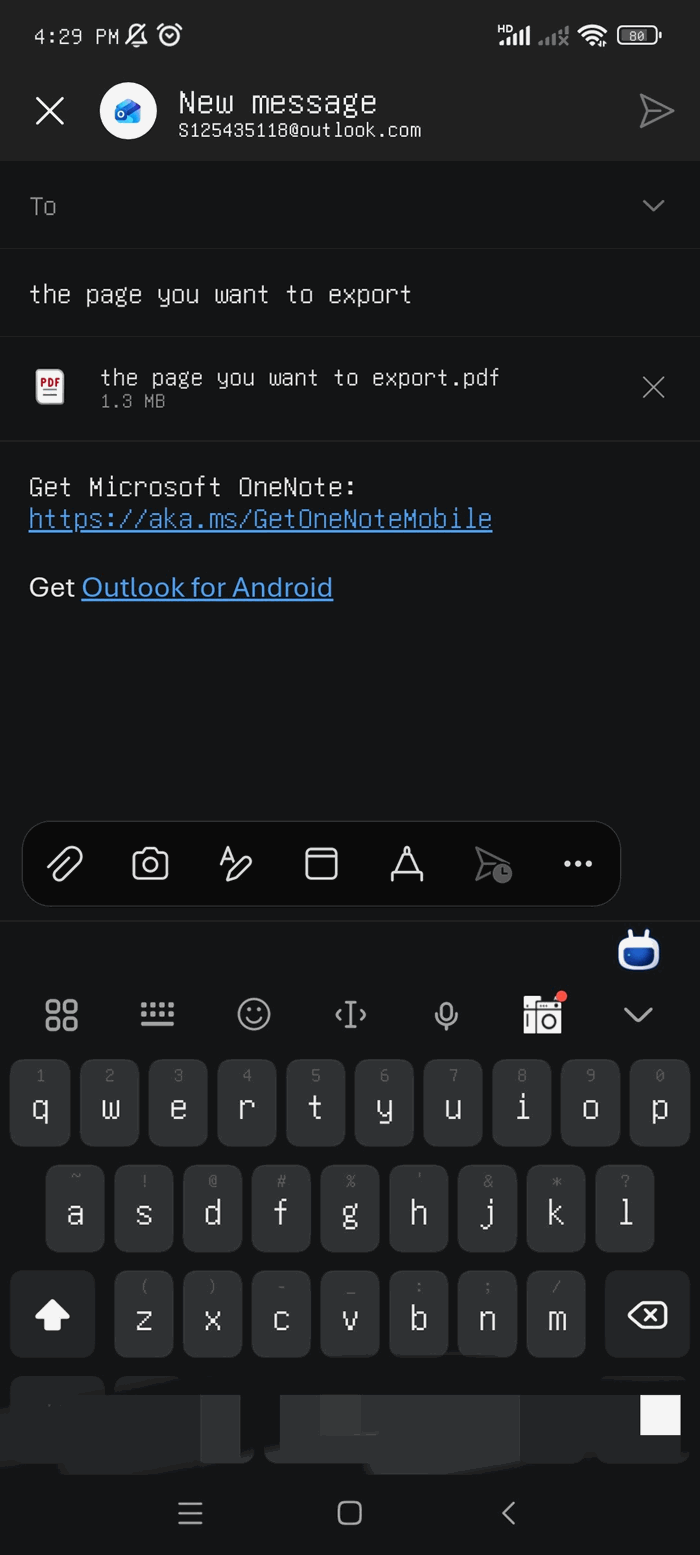
5. It will open your email app and then send it. The image below shows the result after sending.