2026.10 Download and Install OneNote for Windows 10 in Windows 11 System
2026-10-04 09:48
2026.10, after testing, the "OneNote for Windows 10 Reviver" can still install, log in, and use OneNote for Windows 10 normally on Windows 11
Download and install from here: Gem Menu for OneNote UWP
Note: "OneNote for Windows 10 Reviver" only works correctly on the following systems:
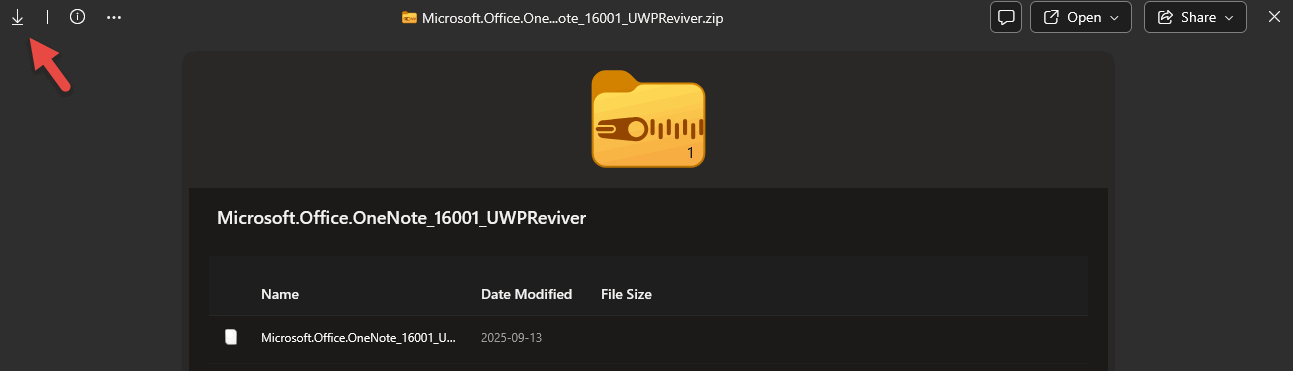
Click the ↓ icon in the upper left corner to download Microsoft.Office.OneNote_16001_UWPReviver.zip.
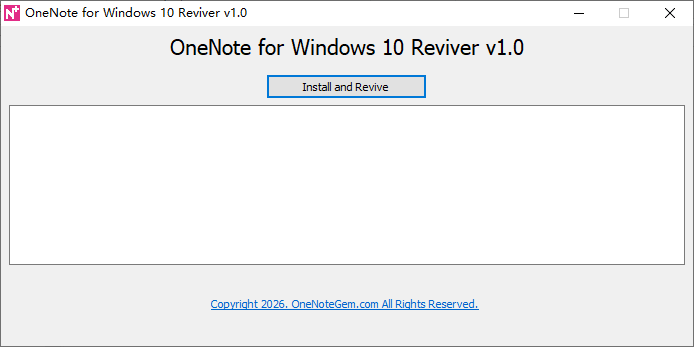
Then click the 'Install and Revive' button, it will perform:
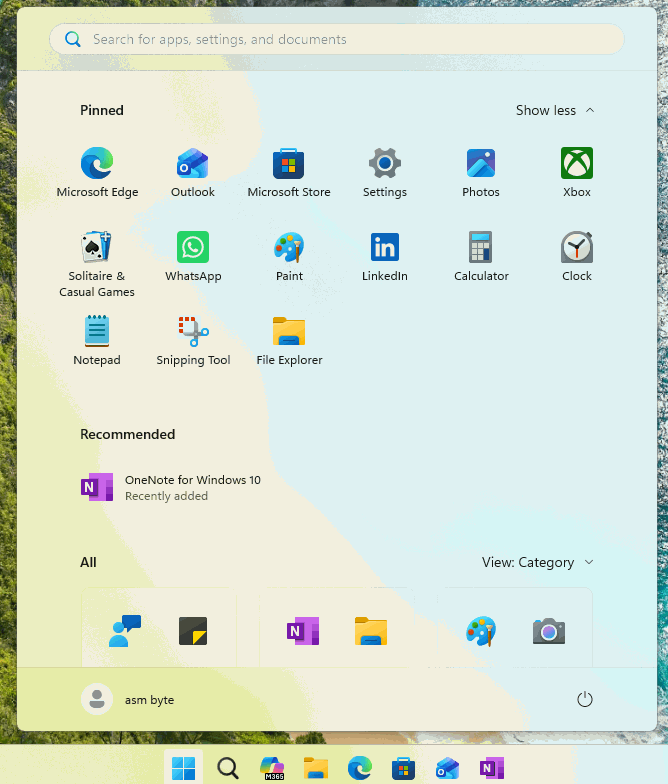
After success, you can see the OneNote for Windows 10 program icon in the Windows Start menu, just click Run normally.
OneNote for Windows 10 on Windows Start Menu
Download and Install Gem Menu for OneNote UWP
You need to download the "OneNote for Windows 10 Reviver" via Gem Menu for OneNote UWP.Download and install from here: Gem Menu for OneNote UWP
Note: "OneNote for Windows 10 Reviver" only works correctly on the following systems:
- Windows 11 64-bit
- Windows 10 v22H2 64-bit
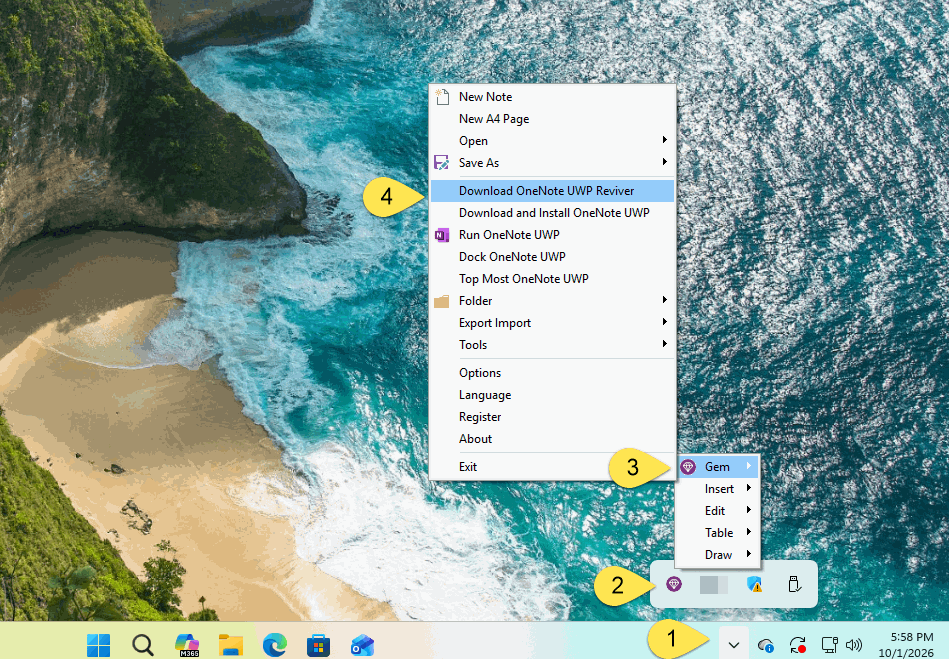
“Download OneNote UWP Reviver” Menu Item in Gem Menu
After installed Gem Menu for OneNote UWP, it automatically runs in the tray area in the bottom right corner of Windows. (generally folded in ^).- Click on the ^ (tray folding area) in the bottom right corner of Windows
- Click Gem Menu icon
- Click “Gem” menu
- Click “Download OneNote UWP Reviver” menu item.
Download Microsoft.Office.OneNote_16001_UWPReviver.zip
Once you have entered your Microsoft account correctly to sign in, you will be redirected to the download page for Microsoft.Office.OneNote_16001_UWPReviver.zip.Click the ↓ icon in the upper left corner to download Microsoft.Office.OneNote_16001_UWPReviver.zip.
Unzip Microsoft.Office.OneNote_16001_UWPReviver.zip
Unzip Microsoft.Office.OneNote_16001_UWPReviver.zip, which contains the following files:- UWPReviver.exe
- Microsoft.Office.OneNote_16001.AppxBundle
Perform Install and Revive
Run UWPReviver.exeThen click the 'Install and Revive' button, it will perform:
- Install Microsoft.Office.OneNote_16001.AppxBundle
- Set up OneNote for Windows 10。
After success, you can see the OneNote for Windows 10 program icon in the Windows Start menu, just click Run normally.
OneNote for Windows 10 on Windows Start Menu

