OneNote v2403 Removes Feed, Mainly Removes Samsung Notes and Replaces with Sticky Notes
2024-05-29 10:43
OneNote Add Feed Feature
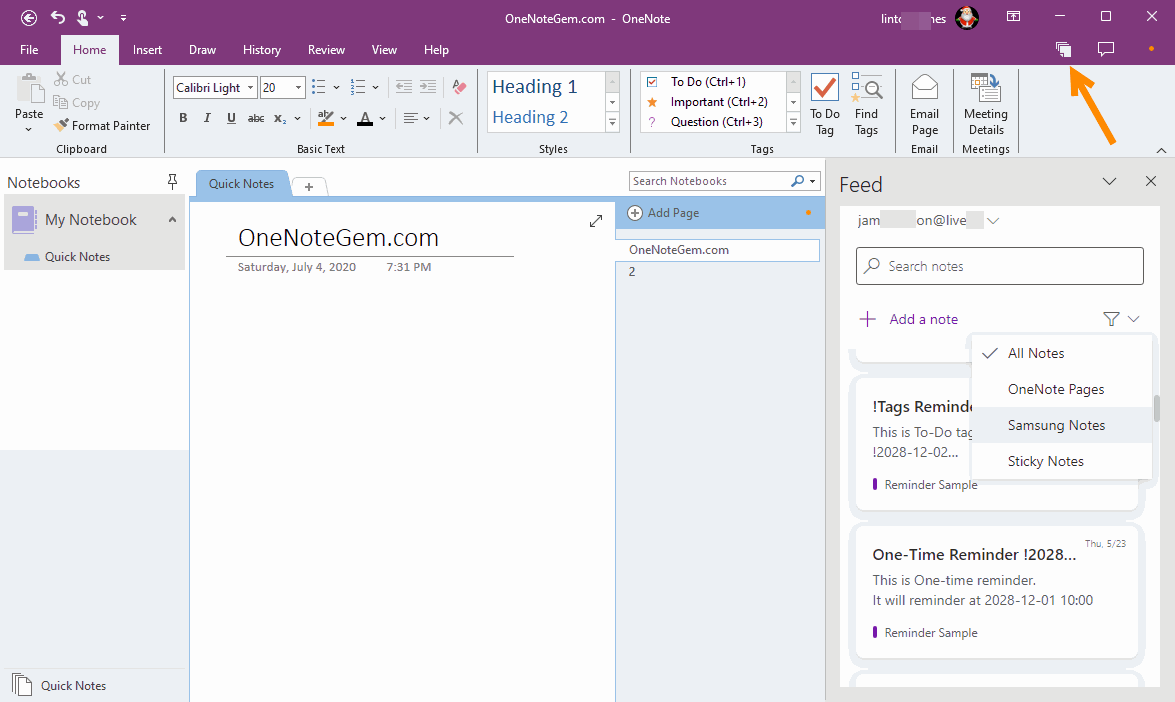
In December 2020, OneNote 2016 added a new feature in the upper-right corner: OneNote FeedClick on OneNote Feed opens a data source pane that lists the following:
- OneNote Pages
- Samsung Notes
- Sticky Notes
OneNote Remove Feed Feature
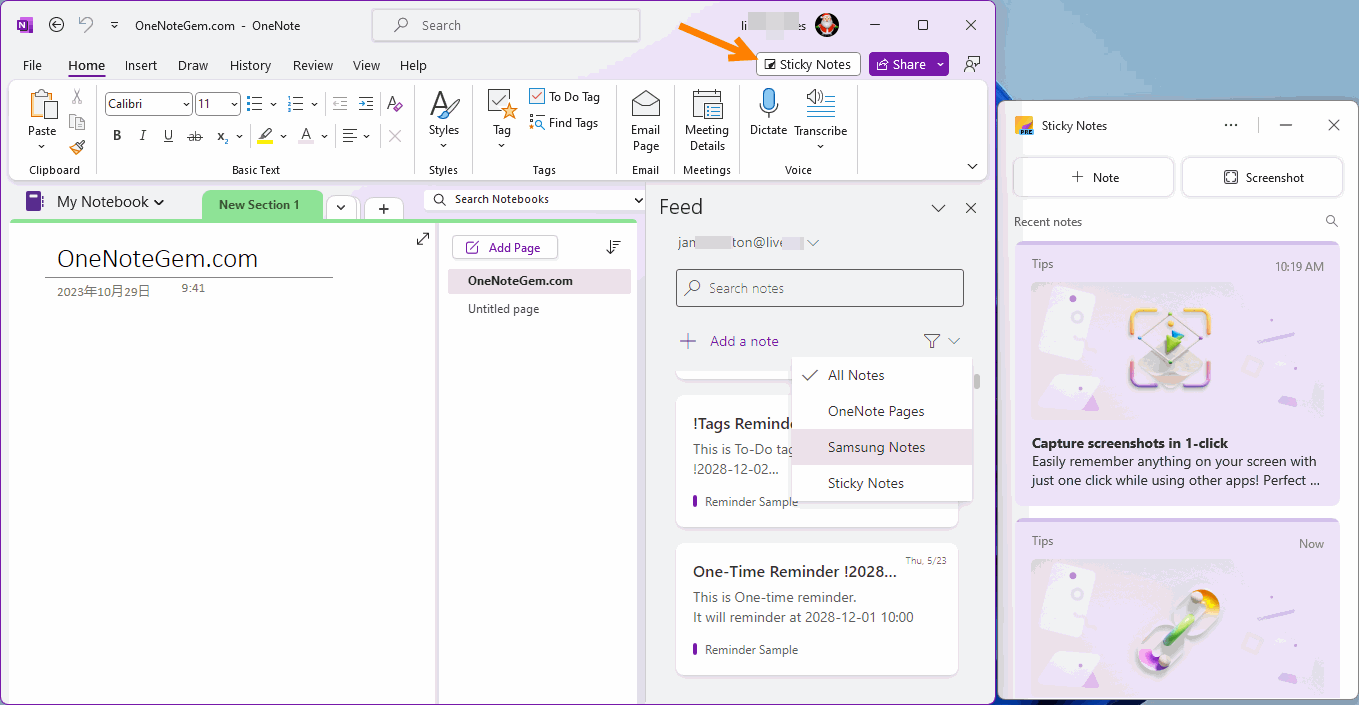
In February 2024, OneNote 2021 removes the Feed feature, and replace with Sticky Notes.That is, Samsung Notes has been removed.
Why Removes Feed?
From: Microsoft Customer Feedback feedbk@microsoft.com
Till: J???r J???
Ämne: In response to your feedback to Microsoft
Thank you for sending Microsoft feedback. Your input is valuable to us and helps improve our products.
First of all, thank you for using OneNote. We also want to let you know that the decision to remove OneNote Feed feature from OneNote on Windows was a hard one. We went ahead with that decision because Feed had a very low usage inside OneNote app and we wanted to use that real estate to expand on Sticky Notes experience, which is the most popular note-type in Feed. We believe this way we'll be able to serve a much larger user-base, and will also benefit OneNote users who can use Sticky Notes for quick note-taking on the go while using other apps, and can see all their notes inside one place for all their notes, OneNote. That said, we also want to assure that currently there is no change in other Feed endpoints like OneNote on Web or Outlook on Web.
For your reference, you submitted the following feedback on December 11, 2023:
The feed in OneNote is super duper important because it allows for efficient browsing between active OneNote-pages.
If you have any questions, please reply back to this email.
Thank you,
The Microsoft Team
You are receiving this email because you agreed to be contacted by Microsoft about your product feedback Privacy Statement Microsoft Corporation, One Microsoft Way, Redmond, WA 98052 USA
| EXE Addins | Cloud Addins | MAC Addins |
Related Documents
- Office OneNote v2606, v2607 freezes when switching to normal pen drawing, and the drawn shapes will appear after respond
- OneNote v2604 Changed the Copy function Ctrl+C from Image format to Plain Text Format
- How to setup the Quick Notes section of OneNote?
- How to fix the OneNote notebook pane fills the entire window and flickering when Collapse Sidebar?
- 2026.3.20 OneNote cannot login today: It doesn't look like you're connected to the Internet. 0x800704cf [Fixed]

