Why is Math Assistant grayed out and not available in Windows Office OneNote?
2024-07-21 05:32
Question:
Why is the Math Assistant feature in my OneNote grayed out and I can't click on it?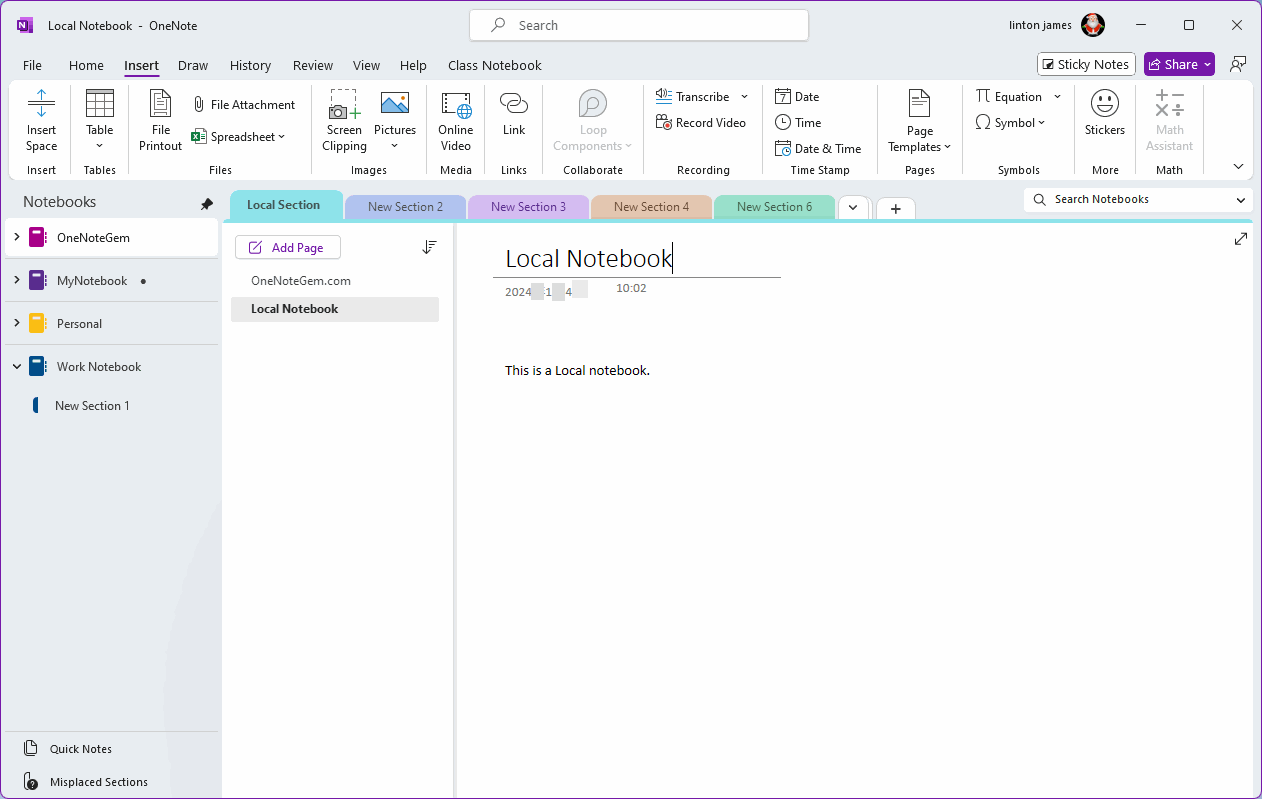
Answer:
The Math Assistant feature in Windows Office OneNote is only available for the notebooks from Microsoft school or work accounts.It does not work for local notebooks and notebooks in your Microsoft personal account.
Local Notebook
- For local notebooks, the Math Assistant feature appears on the OneNote ribbon
- But, the "Math Assistant" function is grayed out and cannot be clicked.
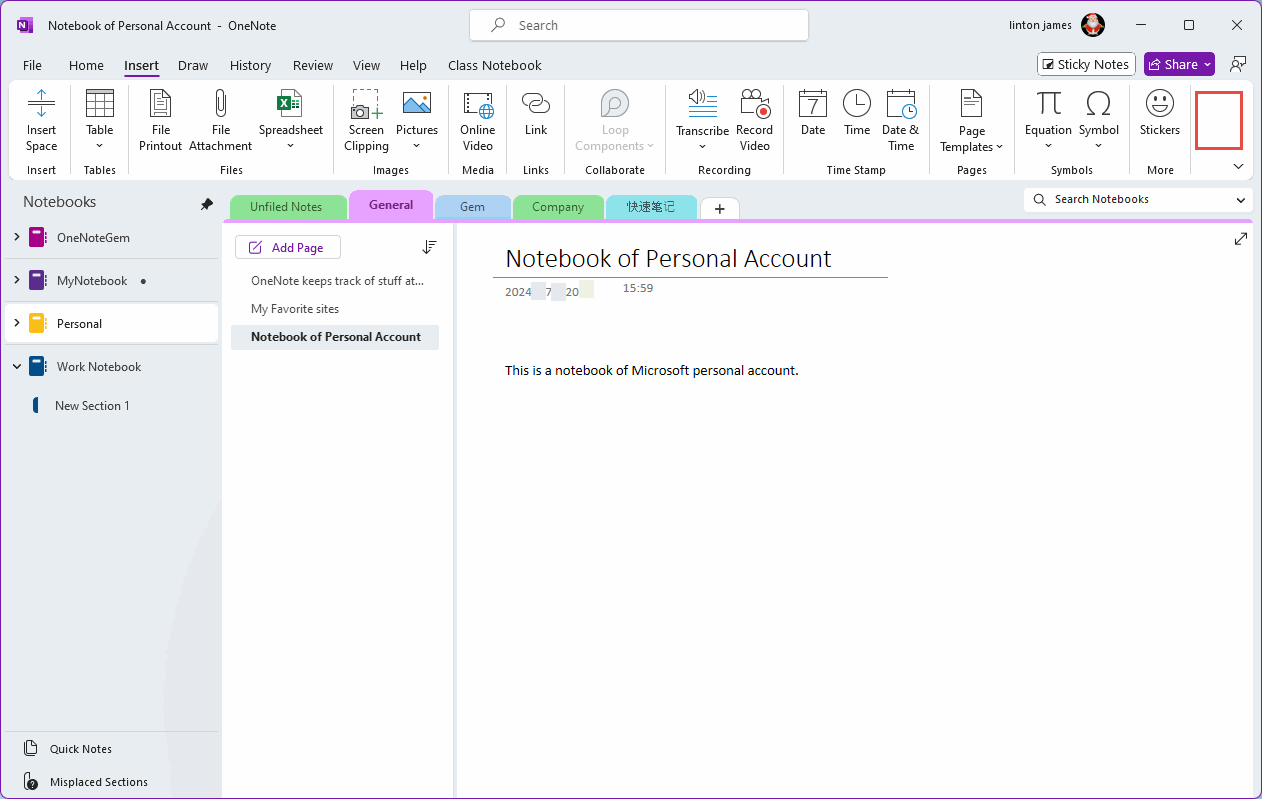
Notebooks of Microsoft Personal Account
- For Microsoft personal account notebooks, the "Math Assistant" function is hidden. Not displayed on the ribbon.
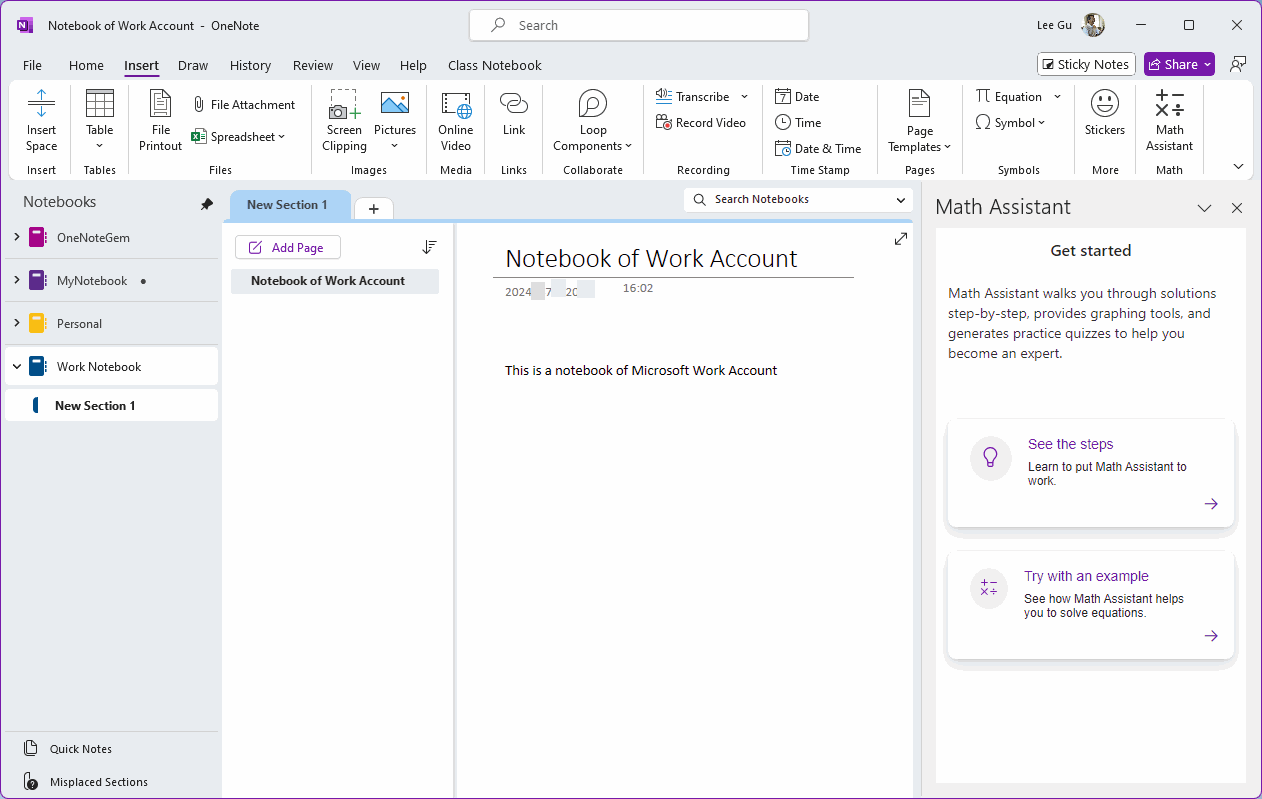
Notebooks of Microsoft School or Work Account
- Only notebooks in Microsoft School or Work accounts will have the "Math Functions" function in effect and can be clicked to use.
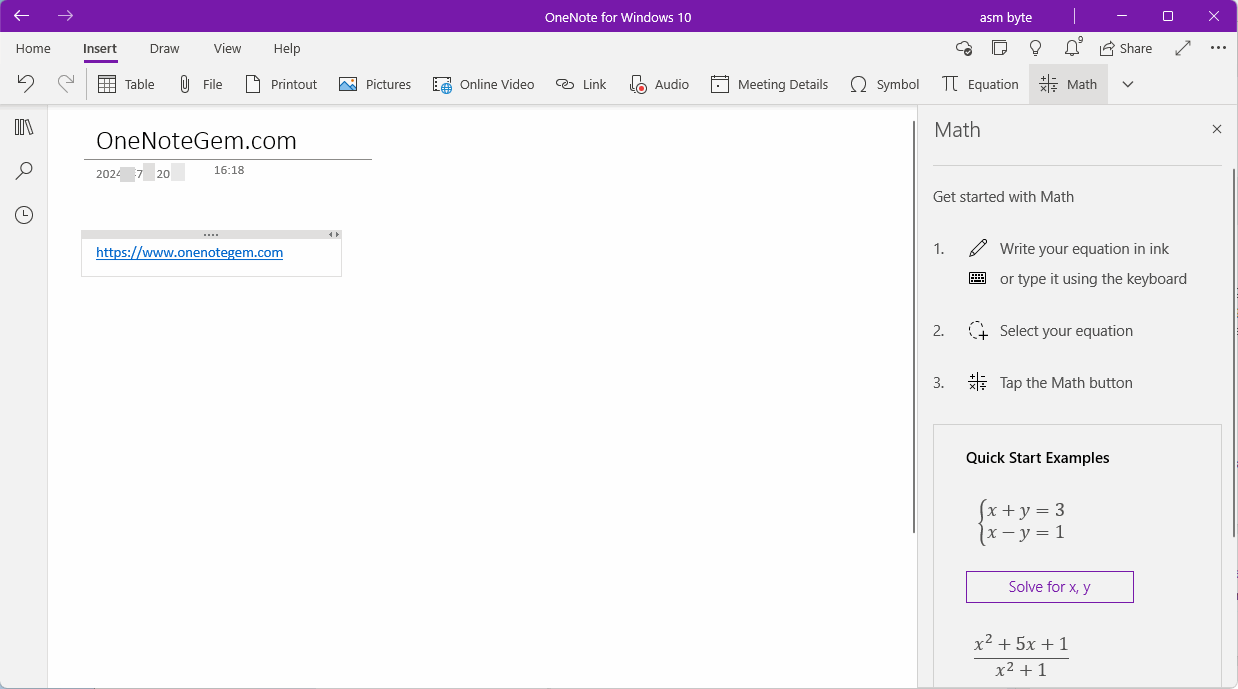
The Math feature of OneNote for Windows 10 is available regardless of account
- The Math feature of OneNote for Windows 10 can be used regardless of accounts.
| EXE Addins | Cloud Addins | MAC Addins |
Related Documents
- Why New Notebook and Options feature greyed out and not available in OneNote?
- Why are the Horizontal Tab Layout Options in the OneNote 2021 Options Window Grayed Out and Unavailable?
- Why No Math Assistant Feature in OneNote 2021?
- Why the "Convert to Excel Spreadsheet" is disabled and grey in Layout tab in OneNote?

