
How to Sort Pages in Android OneNote?
2026-10-08 01:41
As your OneNote notes grow, pages within a section can easily get messy. This tutorial will teach you how to sort pages on your Android phone.
Manual drag-and-drop sorting
⚠️ Please note that in the current version, neither sections nor pages can be automatically sorted; they can only be manually dragged and dropped (2026.10.6).
Steps:
1. Open OneNote for Android and go to the notebook you want to organize.
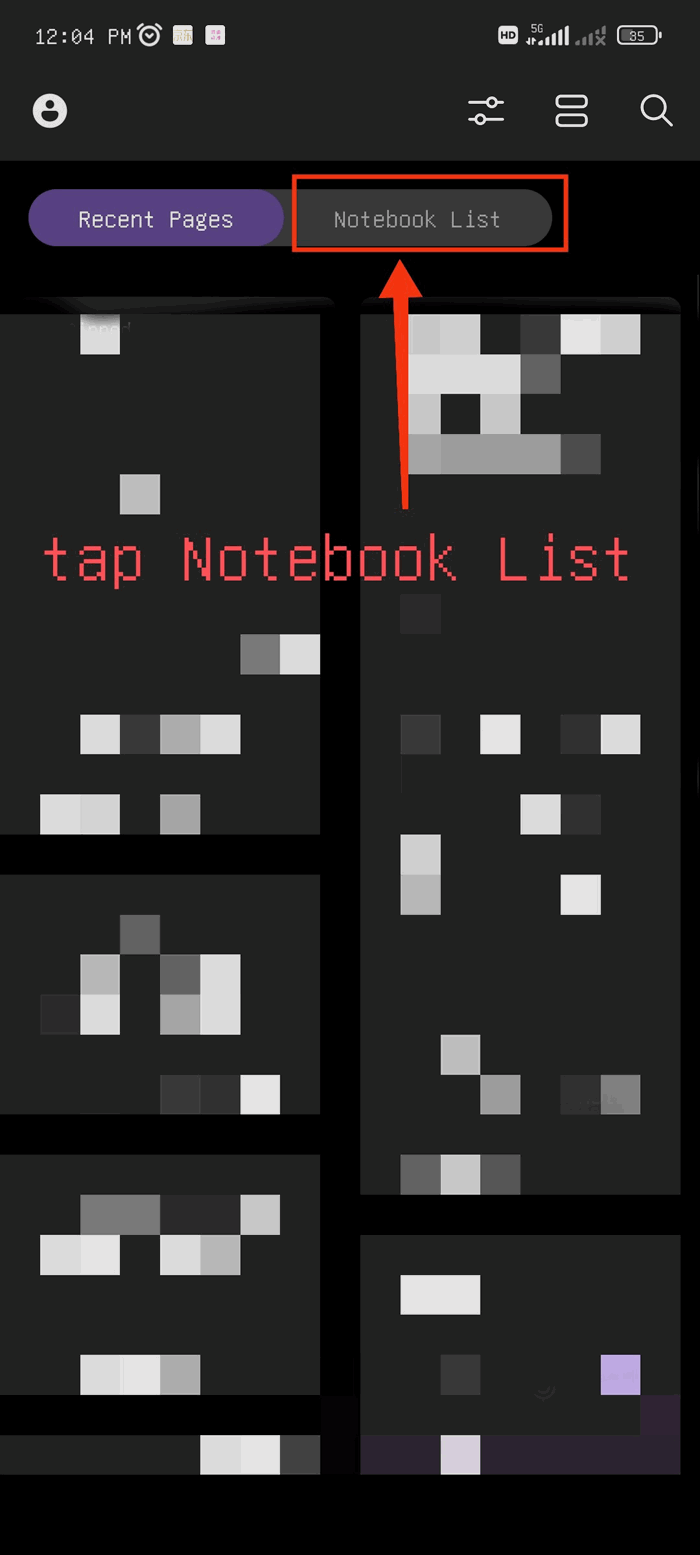
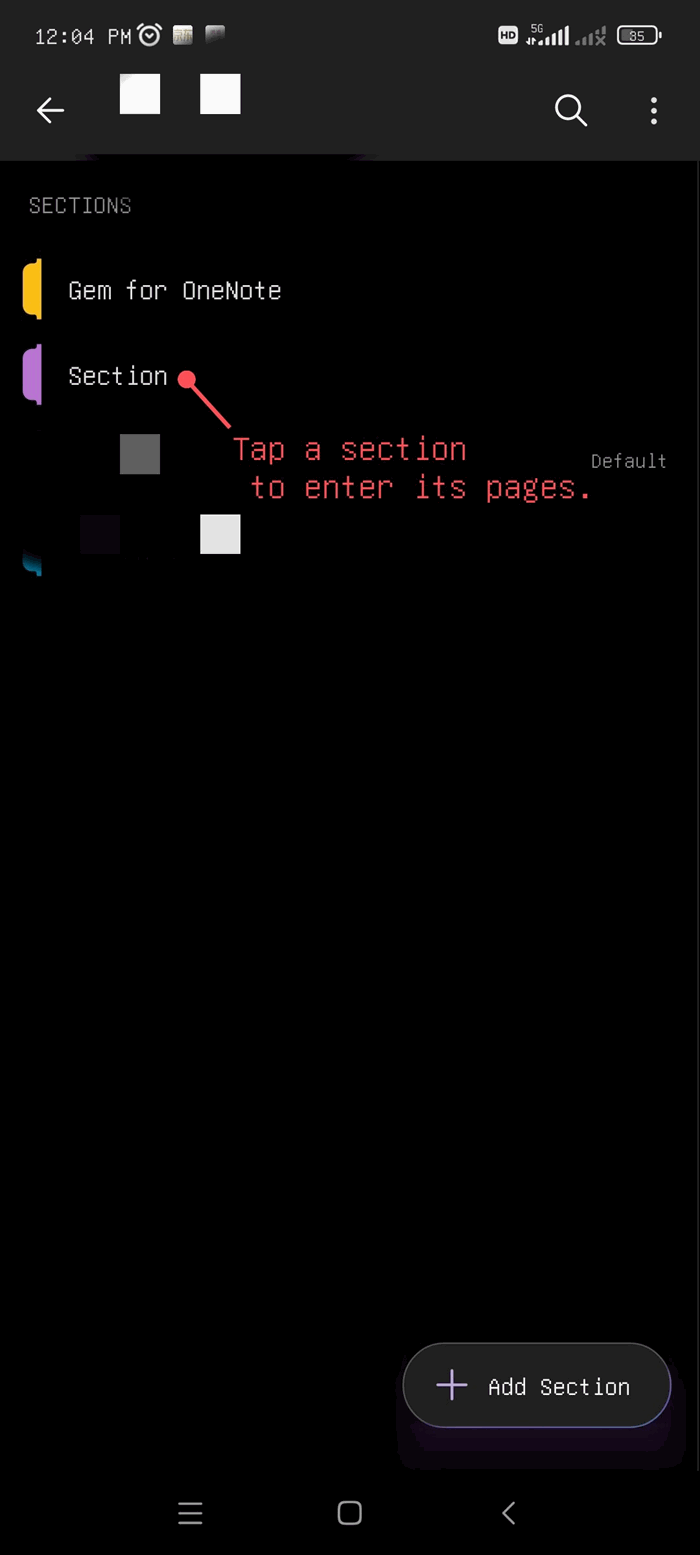
2. In the page list, find the page tab in the section you want to move.
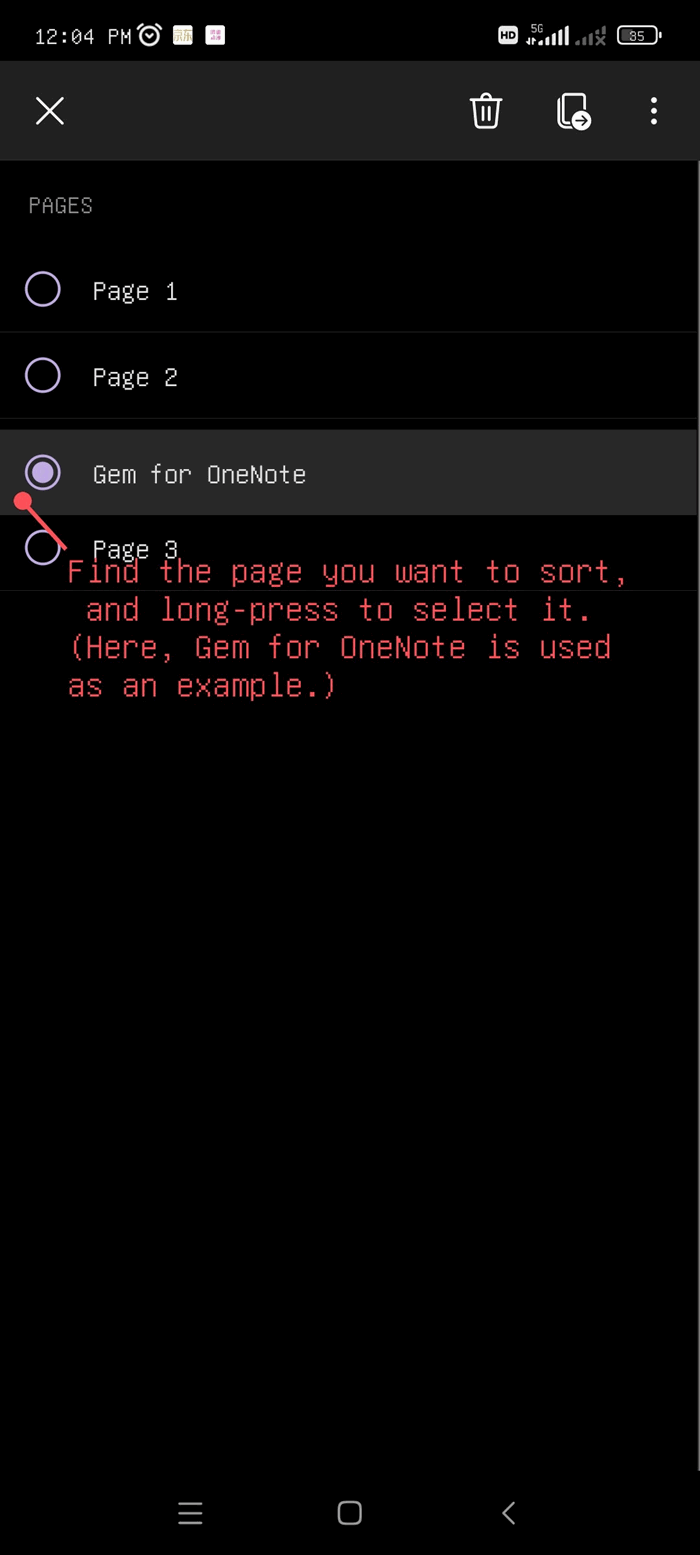
3. Long-press the page tab until it is selected and can be dragged.
4. Keep holding it, then drag it up or down to your preferred position. Release your finger, and the page will move to the new position.
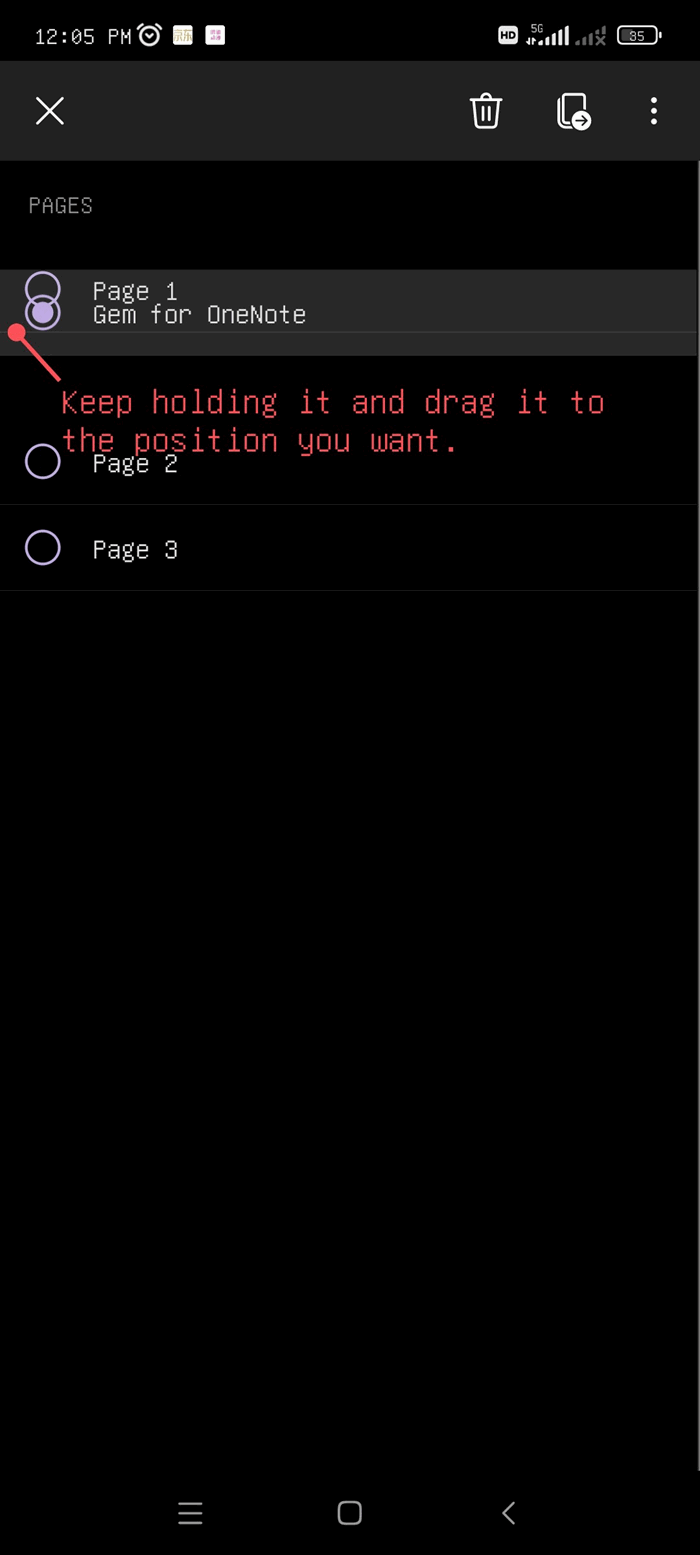
Note: This method also works for sorting sections. The operation is the same.

Related Documents
- How to Sort the List of Recent Pages on the Android OneNote Home Screen?
- Why does Android OneNote open a Section and see a list of Recent Pages instead of the pages of the section?
- How to Sort Sections in Android OneNote?
- Deleting sections and pages in Android OneNote will permanently remove them and cannot be recovered

